15 Best RSS Reader Apps in 2026 (Free & Paid, Every Platform)
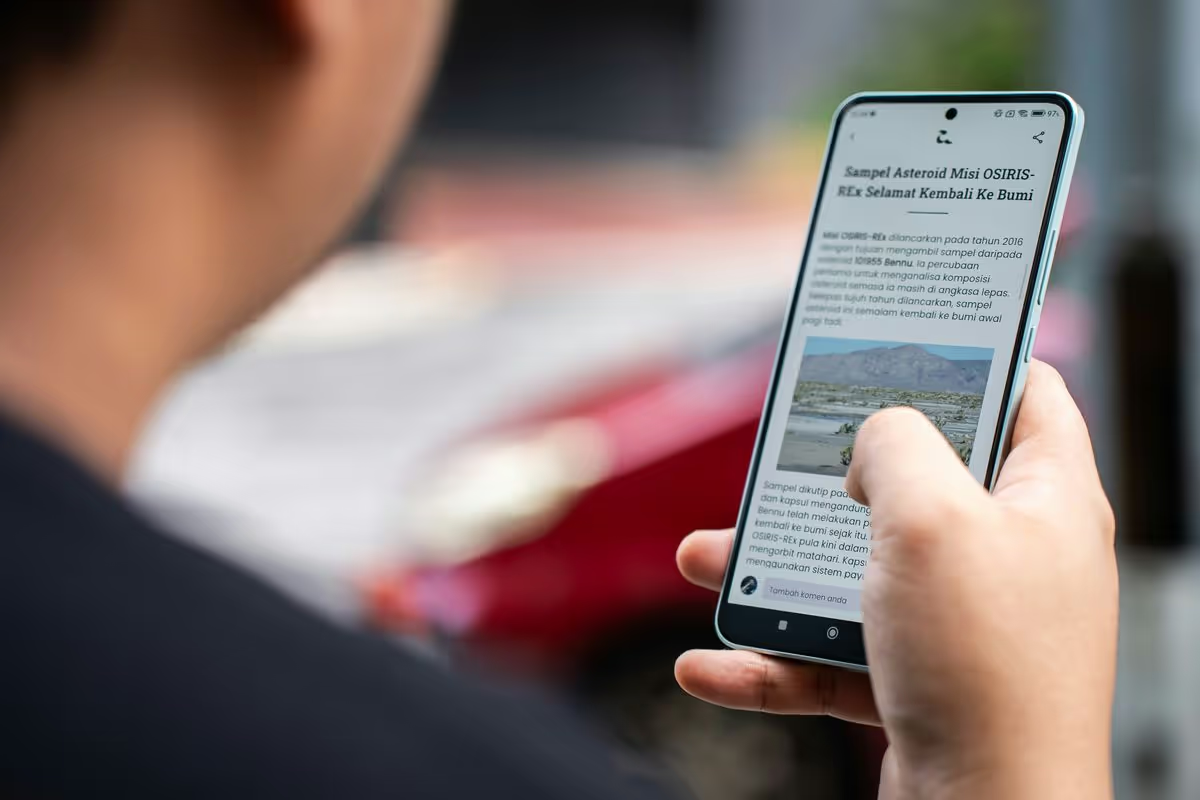
If you just want the quick answer, here are our top picks:
- Best all-in-one content aggregator: Digest — RSS + newsletters + social in one daily email
- Best traditional RSS reader: Feedly — the default choice for most people
- Best for power users: Inoreader — rules, filters, automation
- Best free RSS reader (Mac/iOS): NetNewsWire — 100% free, open-source
- Best minimal web reader: Feedbin — clean, fast, newsletter support
- Best for highlighting & notes: Readwise Reader — read-it-later meets RSS
- Best self-hosted: FreshRSS — free, feature-rich, self-hostable
- Best for Android: Feeder — free, open-source, Material Design
What Is an RSS Reader?
An RSS reader (also called an RSS feed reader or news aggregator) is an app that lets you follow updates from websites, blogs, podcasts, and YouTube channels without relying on social media algorithms.
Instead of visiting 20 sites every morning or hoping the algorithm shows you what matters, you subscribe to RSS feeds and your reader pulls new posts into one place. You see everything, in chronological order, with no algorithm deciding what to show you.
RSS stands for Really Simple Syndication — and it's been around since the late 1990s. It's one of the oldest and most reliable standards on the web.
How To Choose the Best RSS Feed Reader
Not all RSS readers are the same. Before you pick one, consider:
- Where you read: Web, iOS, Android, Mac, Windows, Linux — or all of the above?
- Cloud vs. local vs. self-hosted: Do you want sync across devices, a local-only app, or full control on your own server?
- Email delivery: Would you rather get RSS in your inbox instead of checking another app?
- Beyond RSS: Do you also follow newsletters, X/Twitter accounts, Reddit, or YouTube?
- Organization: Folders, tags, saved searches, priorities, "must-read" feeds
- Filtering: Keyword rules, mutes, duplicate removal, AI prioritization
- Search: Full-text search vs. title-only
- Offline mode: Important for commuters and travelers
- Import/export: OPML support makes switching painless
- Price: Free, freemium, or paid — and is the free tier actually usable?
The 15 Best RSS Reader Apps in 2026
Here's a quick comparison to help you shortlist:
| RSS Reader | Best For | Price | Platforms | Newsletters | Social Media |
|---|---|---|---|---|---|
| Digest | All-in-one daily email | Free / $6/mo | Web, Email, iOS | ✓ | ✓ (20+ sources) |
| Feedly | Traditional RSS | Free / $6–$12/mo | Web, iOS, Android | — | — |
| Inoreader | Power users | Free / $2.50–$12.50/mo | Web, iOS, Android | ✓ | — |
| Feedbin | Minimalists | $5/mo | Web | ✓ | — |
| NewsBlur | Smart filtering | Free / $36/yr | Web, iOS, Android | — | — |
| NetNewsWire | Apple users (free) | Free | Mac, iOS | — | — |
| Reeder | Beautiful iOS/Mac client | $2.99 | iOS, Mac | — | — |
| Readwise Reader | Highlighting & notes | $8.99/mo | Web, iOS, Android | ✓ | — |
| Miniflux | Self-hosted, minimal | $15/yr / Free (self-host) | Web | — | — |
| FreshRSS | Self-hosted, full-featured | Free (self-host) | Web | — | — |
| The Old Reader | Google Reader nostalgia | Free / $5/mo | Web | — | — |
| Visual magazine reading | Free | Web, iOS, Android | — | — | |
| Feeder | Android (free) | Free | Android, Web | — | — |
| Omnivore | Read-it-later + RSS | Free (open-source) | Web, iOS, Android | ✓ | — |
| Vivaldi | Built-in browser reader | Free | Desktop (Vivaldi) | — | — |
Now let's look at each one in detail.
1. Digest — Best All-in-One Content Aggregator
Digest takes a fundamentally different approach to RSS: instead of giving you another app to check, it delivers everything as a single daily email.
Add RSS feeds alongside newsletters, X/Twitter accounts, Reddit subreddits, YouTube channels, Hacker News, Product Hunt, Google News, Smart News, Bluesky, Mastodon, Instagram, TikTok, weather, stocks, and more — 20+ source types in one digest. You choose the delivery time, and everything arrives in your inbox (or read on the web).
This is the best option if you're tired of checking yet another app. Your content comes to you.
Pricing: Free plan available. Starter at $6/mo for unlimited sources and all integrations.
Platforms: Web, Email, iOS
- ✅ Best if you: want RSS, newsletters, and social feeds combined into one daily email
- ✅ Best if you: don't want to check another app — email is enough
- ❌ Not ideal if you: want a traditional feed-scrolling experience
2. Feedly — Best Traditional RSS Reader
Feedly is the most popular RSS reader in the world, and for good reason. It has a clean magazine-style layout, web/iOS/Android apps, and a smooth onboarding experience. It's where most people start with RSS.
The free plan lets you follow up to 100 sources in 3 feeds. Paid plans unlock AI features (Leo), keyword alerts, integrations, and team sharing. Feedly has been steadily adding enterprise features, which makes the free tier feel more limited than it used to be.
Pricing: Free (100 sources, 3 feeds). Pro at $6/mo. Pro+ at $12/mo for Leo AI.
Platforms: Web, iOS, Android
- ✅ Best if you: want something reliable, polished, and easy to set up
- ❌ Not ideal if you: need advanced automation or want to avoid feature-gating
3. Inoreader — Best for Power Users
Inoreader is the RSS reader for information professionals. It supports rules, keyword monitoring, active searches, web page change monitoring, and automation. If you think of RSS as a data pipeline, Inoreader is built for you.
It also supports newsletters (with a unique email address), has a decent free plan, and integrates with IFTTT and Zapier.
Pricing: Free (150 sources). Supporter at $2.50/mo. Pro at $5/mo. Enterprise at $12.50/mo.
Platforms: Web, iOS, Android
- ✅ Best if you: need rules, filters, keyword monitoring, and automation
- ✅ Best if you: want a Feedly alternative with a more generous free plan
- ❌ Not ideal if you: want a minimal, simple experience
4. Feedbin — Best Minimal Web Reader
Feedbin is what you get when a designer builds an RSS reader. Clean, fast, opinionated — it does one thing well and doesn't try to do everything. It also supports newsletter subscriptions (unique email address) and has an excellent full-text search.
Open-source, independently run, and pairs perfectly with native clients like Reeder and NetNewsWire.
Pricing: $5/mo (no free plan, 14-day free trial).
Platforms: Web (pairs with Reeder, NetNewsWire, etc.)
- ✅ Best if you: want a clean, reliable web reader you can trust long-term
- ✅ Best if you: want to pair a backend service with a native iOS/Mac app
- ❌ Not ideal if you: want a free option or advanced automation
5. NewsBlur — Best for Smart Filtering
NewsBlur has a unique "intelligence training" feature: you teach it what you like and dislike (by author, tag, keyword, or source), and it learns to surface the stories you care about and hide the rest. It also shows the original site design and has a social sharing feature ("blurblogs").
Open-source and self-hostable too.
Pricing: Free (64 sites). Premium at $36/yr for unlimited sites and search.
Platforms: Web, iOS, Android
- ✅ Best if you: want your reader to learn your preferences over time
- ✅ Best if you: want an open-source option that's also available hosted
- ❌ Not ideal if you: want a modern, polished UI
6. NetNewsWire — Best Free RSS Reader for Mac & iOS
NetNewsWire is a classic. Originally launched in 2002, it's one of the oldest RSS apps still in active development. Completely free, open-source, no ads, no tracking, no premium tier.
Native Mac and iOS apps with fast performance. Syncs via iCloud or connects to Feedbin, Inoreader, NewsBlur, and others.
Pricing: 100% free. Forever.
Platforms: Mac, iOS
- ✅ Best if you: want the best free RSS reader on Apple platforms
- ✅ Best if you: value privacy and open-source software
- ❌ Not ideal if you: need Android or Windows support
7. Reeder — Best iOS/Mac RSS Client
Reeder is a beautifully designed RSS client for iOS and Mac. It doesn't include its own RSS backend — instead, you connect it to services like Feedbin, Feedly, Inoreader, iCloud, or local RSS files. The reading experience is one of the best on Apple platforms.
Pricing: $2.99 one-time purchase (separate for iOS and Mac).
Platforms: iOS, Mac
- ✅ Best if you: want the prettiest RSS reading experience on Apple devices
- ❌ Not ideal if you: want an all-in-one solution (you need a separate backend)
8. Readwise Reader — Best for Highlighting & Notes
Readwise Reader is more than an RSS reader — it's a full reading workflow tool. RSS feeds, newsletters, PDFs, EPUBs, tweets, and web articles all go into one app. The killer feature: deep highlighting and annotation that syncs to Notion, Obsidian, Logseq, and other note-taking tools.
Pricing: $8.99/mo (includes Readwise highlights). 30-day free trial.
Platforms: Web, iOS, Android
- ✅ Best if you: highlight, annotate, and export what you read as part of a research workflow
- ❌ Not ideal if you: just want a simple feed list without the knowledge management features
9. Miniflux — Best Minimalist Self-Hosted Reader
Miniflux is an opinionated, minimalist RSS reader written in Go. No AI, no social features, no bloat — just fast, clean RSS reading. Extremely lightweight and handles thousands of feeds without slowing down.
Available as a $15/yr hosted service or free to self-host.
Pricing: $15/yr (hosted). Free (self-host).
Platforms: Web (self-hosted or hosted)
- ✅ Best if you: want the fastest, cleanest self-hosted RSS reader
- ✅ Best if you: are a developer who values simplicity
- ❌ Not ideal if you: want mobile apps or a GUI for managing feeds
10. FreshRSS — Best Full-Featured Self-Hosted Reader
FreshRSS is the most popular self-hosted RSS reader. Feature-rich, supports extensions, multi-user, OPML import, and the Google Reader API (so third-party apps like Reeder and FeedMe work with it). Runs on PHP — easy to install on almost any server or NAS.
Pricing: 100% free, open-source.
Platforms: Web (self-hosted). Works with Reeder, FeedMe, etc. via API.
- ✅ Best if you: want full control over your RSS data and can self-host
- ✅ Best if you: want to use FreshRSS as a backend with a native mobile app
- ❌ Not ideal if you: don't want to maintain a server
11. The Old Reader — Best for Google Reader Nostalgia
The Old Reader was built as a love letter to Google Reader. Simple, social, and nostalgic — it brings back shared items and the social feed that made Google Reader great. No frills, just reading.
Pricing: Free (100 feeds). Premium at $5/mo for unlimited feeds.
Platforms: Web
- ✅ Best if you: miss Google Reader and want that exact experience
- ❌ Not ideal if you: need mobile apps or advanced features
12. Flipboard — Best Visual Magazine-Style Reader
Flipboard isn't a traditional RSS reader, but it supports RSS feeds and presents them in a beautiful magazine-style layout. Recently added Mastodon/ActivityPub integration, making it a bridge between RSS and the fediverse.
Pricing: Free.
Platforms: Web, iOS, Android
- ✅ Best if you: want a visually beautiful reading experience
- ❌ Not ideal if you: want to track specific feeds precisely (Flipboard is more about discovery)
13. Feeder — Best Free RSS Reader for Android
Feeder is a free, open-source RSS reader designed for Android. Clean Material Design interface, offline reading, and no tracking. Also available as a web app. One of the best options if you want a simple, free reader on Android without ads.
Pricing: Free (open-source).
Platforms: Android, Web
- ✅ Best if you: want a free, ad-free RSS reader on Android
- ❌ Not ideal if you: need iOS support or advanced features
14. Omnivore — Best Free Read-It-Later + RSS
Omnivore is a free, open-source read-it-later app that also handles RSS feeds and newsletters. Highlighting, labels, full-text search, and integration with Logseq and Obsidian. It was acquired by ElevenLabs in 2024 — the hosted service's future is uncertain, but the self-hosted version lives on.
Pricing: Free (open-source).
Platforms: Web, iOS, Android
- ✅ Best if you: want a free alternative to Readwise Reader with RSS + read-it-later
- ❌ Caveat: hosted service future uncertain after acquisition — check current status
15. Vivaldi Feed Reader — Best Built-in Browser Reader
Vivaldi is a web browser with a built-in RSS reader. No extra app needed — your feeds live right in the browser sidebar. Also includes a built-in email client, calendar, and note-taking. A surprisingly capable all-in-one desktop tool.
Pricing: Free.
Platforms: Desktop (Windows, Mac, Linux)
- ✅ Best if you: want RSS reading built into your browser with zero setup
- ❌ Not ideal if you: want mobile access or a dedicated reading experience
Best RSS Reader by Platform
Looking for the best RSS reader for your specific device? Here's a quick guide:
Best RSS Reader for Mac
- NetNewsWire — Free, native, open-source. The obvious choice.
- Reeder — Beautiful paid client ($2.99). Pairs with Feedbin or Inoreader.
- Digest — Get RSS by email. No app needed.
- Vivaldi — Built-in browser reader.
Best RSS Reader for iOS / iPhone / iPad
- NetNewsWire — Free, fast, iCloud sync.
- Reeder — Best design. Pairs with a backend service.
- Feedly — Full-featured with a solid free plan.
- Inoreader — Power-user features on mobile.
Best RSS Reader for Android
- Feeder — Free, open-source, Material Design.
- Feedly — Polished, reliable, good free plan.
- Inoreader — Advanced features on Android.
- Digest — RSS by email. Works on any device.
Best RSS Reader for Windows
- Vivaldi — Built-in feed reader, no extra app.
- Feedly (web) — Best web-based option.
- Inoreader (web) — Power-user web option.
- Digest — RSS by email. No app needed.
Best Self-Hosted RSS Reader
- FreshRSS — Most popular, feature-rich, PHP.
- Miniflux — Minimal, fast, Go-based.
- NewsBlur — Open-source, intelligence training.
How To Find an RSS Feed URL
Most websites publish an RSS feed even if they don't advertise it. Here's how to find one:
- Look in the footer for "RSS", "Feed", or the RSS icon (the orange broadcast symbol)
- Try common URLs: append
/feed,/rss,/feed.xml, or/atom.xmlto the site's domain - Check the page source: search for
application/rss+xmlorapplication/atom+xml - Use a tool: Paste any URL into Feedbin's feed finder or RSS.app to auto-detect feeds
- YouTube channels: Every YouTube channel has an RSS feed at
https://www.youtube.com/feeds/videos.xml?channel_id=CHANNEL_ID - Reddit: Add
.rssto any subreddit URL (e.g.,reddit.com/r/technology/.rss)
How To Switch RSS Readers (OPML Export/Import)
Switching between RSS readers is easy thanks to OPML — a standard file format for RSS subscriptions:
- Export from your current reader: Look for "Export OPML" in settings (Feedly: Organize Sources → Export)
- Import into your new reader: Look for "Import OPML" or "Import feeds" — paste or upload the file
- Done: All your feeds transfer instantly. No re-subscribing needed.
Most RSS readers on this list support OPML import and export.
FAQ
What is the best RSS reader in 2026?
It depends on how you read. Digest is best if you want RSS feeds delivered by email alongside newsletters and social media. Feedly is the most popular traditional RSS reader. Inoreader is best for power users who need rules and filters. NetNewsWire is the best free option for Apple users.
What is the best free RSS reader?
NetNewsWire is completely free, open-source, and works great on Mac and iOS. For Android, Feeder is free and open-source. For web-based free options, Feedly and Inoreader both have free plans. For self-hosting, FreshRSS and Miniflux are free and open-source.
Is RSS still relevant in 2026?
Absolutely. RSS is more relevant than ever as people seek alternatives to algorithmic feeds. Most blogs, news sites, podcasts, and YouTube channels publish RSS feeds. It's the most reliable way to follow content without depending on social media algorithms deciding what you see.
What is the best RSS reader for Mac?
NetNewsWire is the best free RSS reader for Mac — native, fast, open-source. Reeder ($2.99) is the best paid option with a beautiful UI. Both sync with cloud services like iCloud, Feedbin, or Inoreader.
What is the best RSS reader for Android?
Feeder is the best free, open-source Android RSS reader. Feedly and Inoreader both have excellent Android apps with more features. For a different approach, Digest works on any device since it delivers RSS by email.
Can I get RSS feeds delivered by email?
Yes. Digest delivers RSS feeds as a daily email digest. You can combine RSS with newsletters, Reddit, X/Twitter, YouTube, and 20+ other source types — everything arrives in one email on your schedule.
What happened to Google Reader?
Google Reader was shut down in July 2013. Apps like Feedly, Inoreader, and NewsBlur filled the gap. Many of today's best RSS readers were created in direct response to Google Reader's shutdown. The Old Reader was specifically built to recreate the Google Reader experience.
Can I use an RSS reader with newsletters?
Yes. Feedbin and Readwise Reader let you subscribe to newsletters via a unique email address they provide. Digest takes the opposite approach — it pulls RSS feeds into your email alongside newsletters, so everything arrives in one daily digest. Inoreader also supports newsletter subscriptions on paid plans.
Is Feedly or Inoreader better?
Feedly is better for casual readers who want a clean, simple experience. Inoreader is better for power users who need rules, keyword monitoring, and automation. Both have free plans — try each for a week and see which workflow you prefer. If you want something different entirely, Digest delivers both by email.
Related Guides
Want great content delivered to your inbox? Browse our newsletter picks:
- Best Tech Newsletters — top picks for tech news
- Best Newsletters for Developers — picks for software engineers
- Best AI Newsletters — stay ahead of AI developments
- Best Daily Newsletters — briefings worth reading
- Feedly Alternatives — detailed comparison of the top Feedly alternatives
- Daily Digest Email — how to build your own daily content digest
- RSS to Email Digest — turn any RSS feed into a daily email