Move Digest to Your Primary Inbox
If your Digest emails are landing in the Gmail Promotions tab, you can fix this with one simple step.
Drag and drop your Digest email from the Promotions tab over to the Primary Inbox tab. Gmail will remember this preference and deliver future Digest emails to your Primary inbox.
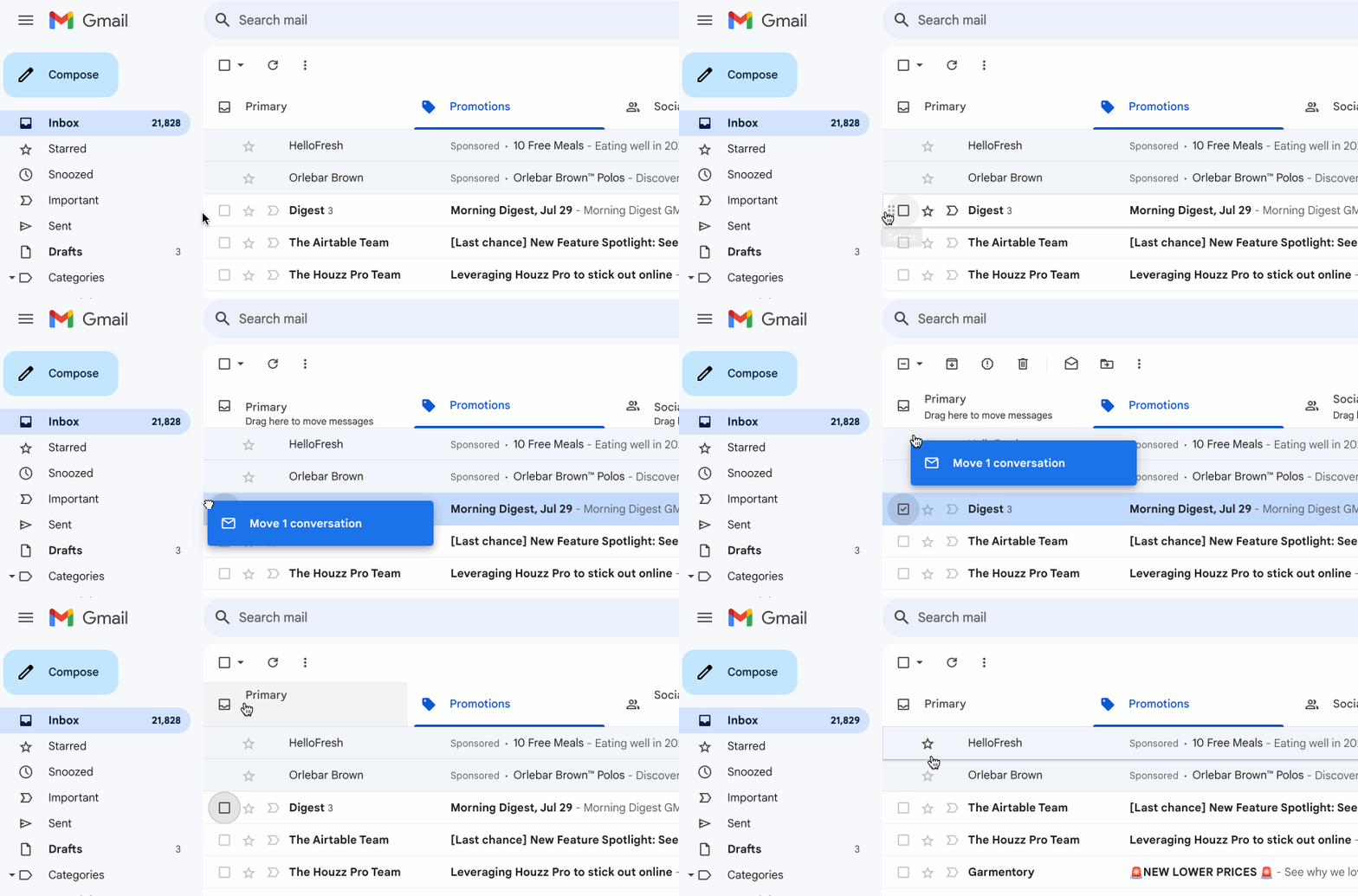
That's it! Gmail learns from this action and will route future Digest emails to your Primary tab automatically.