Share Your Digest
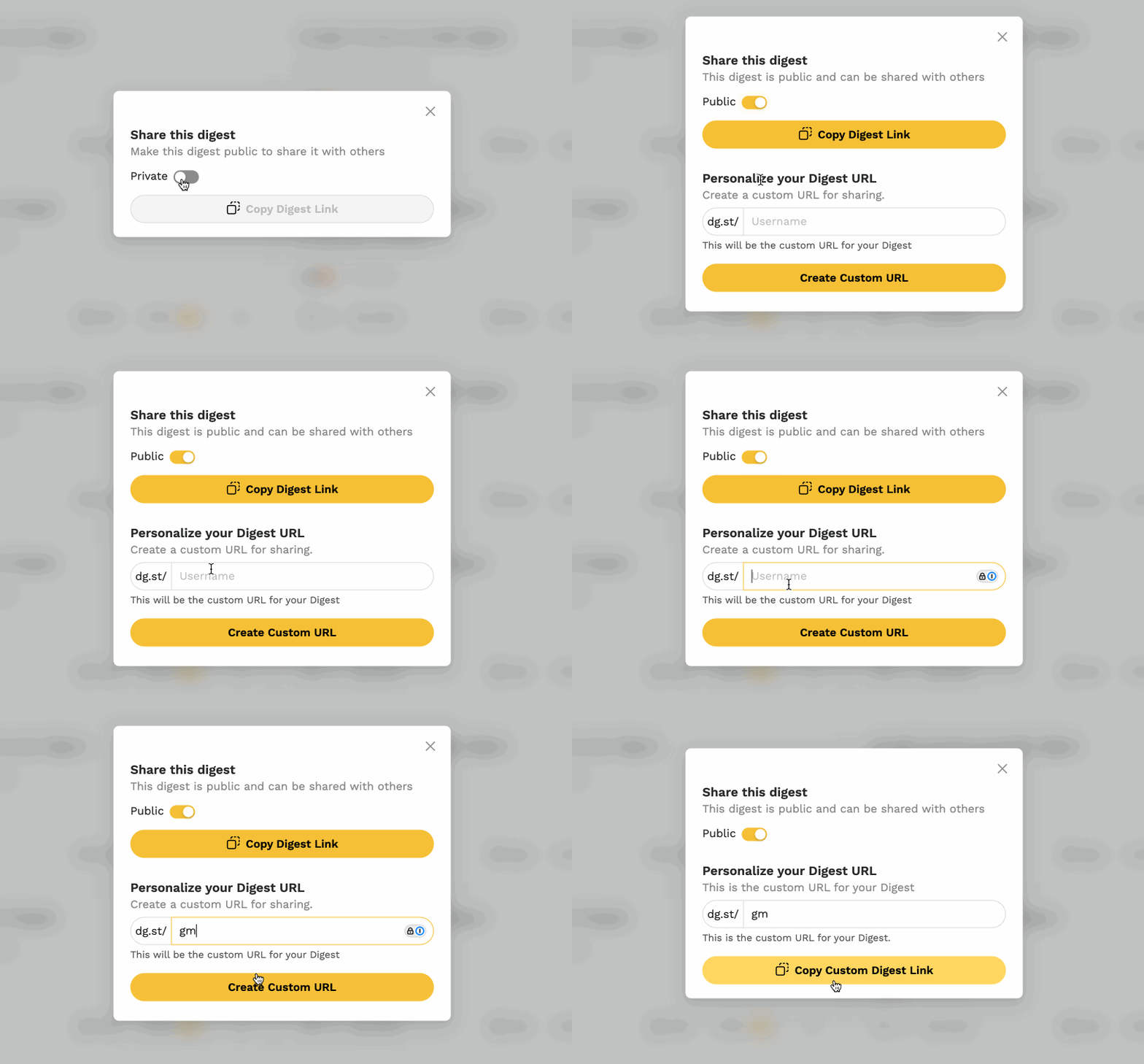
You can share your Digest with anyone by making it public and sharing the link.
Step 1: Open the Share Settings
Click the Share button at the bottom of your Digest in the dashboard.
Step 2: Make It Public
By default, your Digest is set to private — only you can view it. Toggle the setting to make your Digest publicly accessible.
Step 3: Copy the Link
Click Copy Digest Link to grab your shareable URL.
Customize Your Share URL
You can create a personalized share link by entering a username. This generates a short link using the dg.st domain, which is great to use in your bio across your social channels.