What is the Newsletters Source?
The Newsletters Source lets you subscribe to your favorite newsletters using a unique email address from Digest. Instead of filling your regular inbox, newsletters go directly to Digest, where you get a clean overview of everything you've received.
Why Add the Newsletters Source?
- Declutter Your Inbox — Manage newsletter subscriptions in one place without overwhelming your email.
- Effortless Reading — Access all your newsletters alongside your other daily updates.
- Stay Organized — Get a clear overview of all received newsletters for easy prioritization.
How to Add It
- Log into your Digest account
- Create a new Digest or edit an existing one
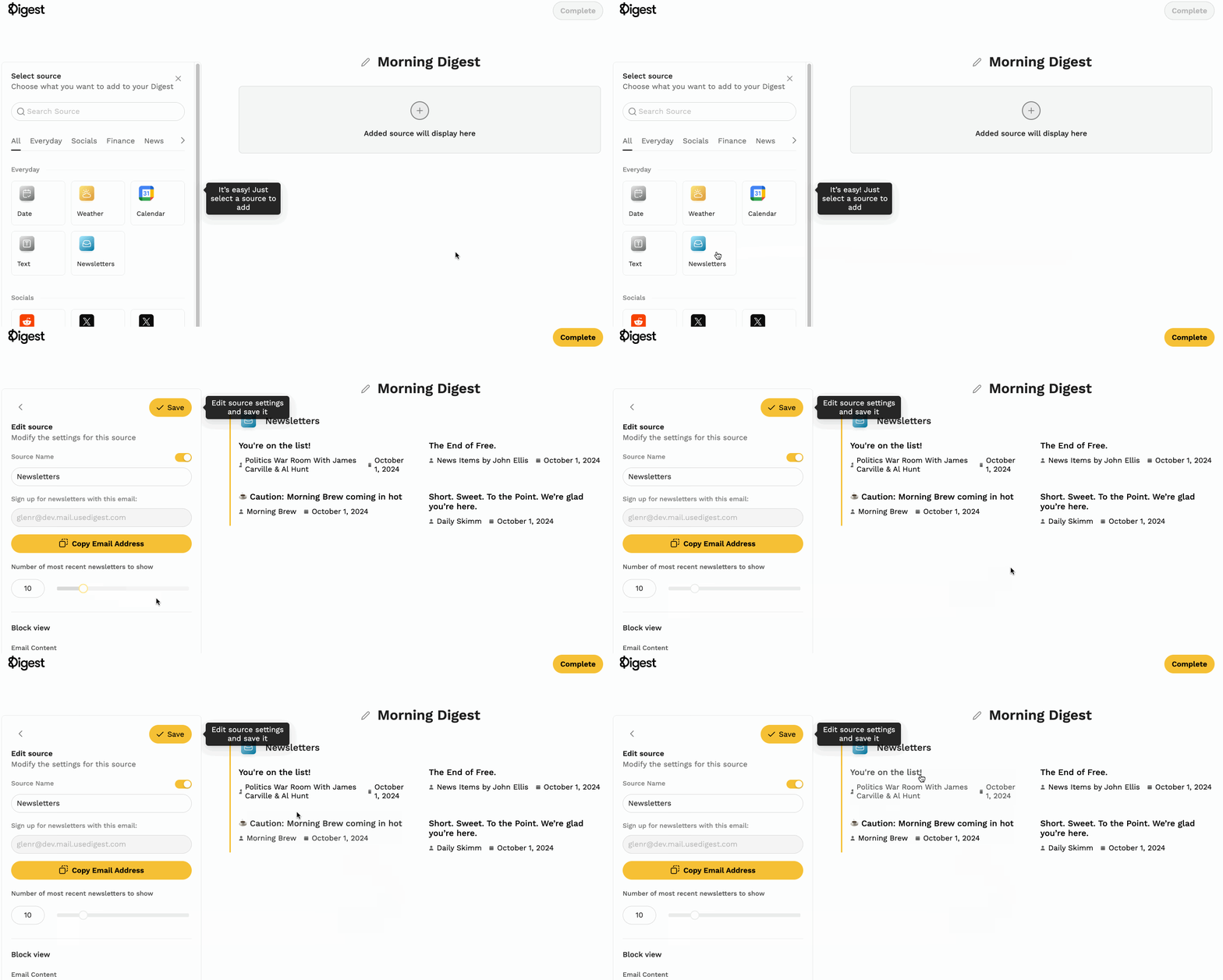
- Select Newsletters under sources
- Subscribe to newsletters using the provided Digest email address
- Click Save — received newsletters will automatically appear in your Digest
For more on managing newsletters, see How to Use the Digest Newsletter Reader.