What is the Text Source?
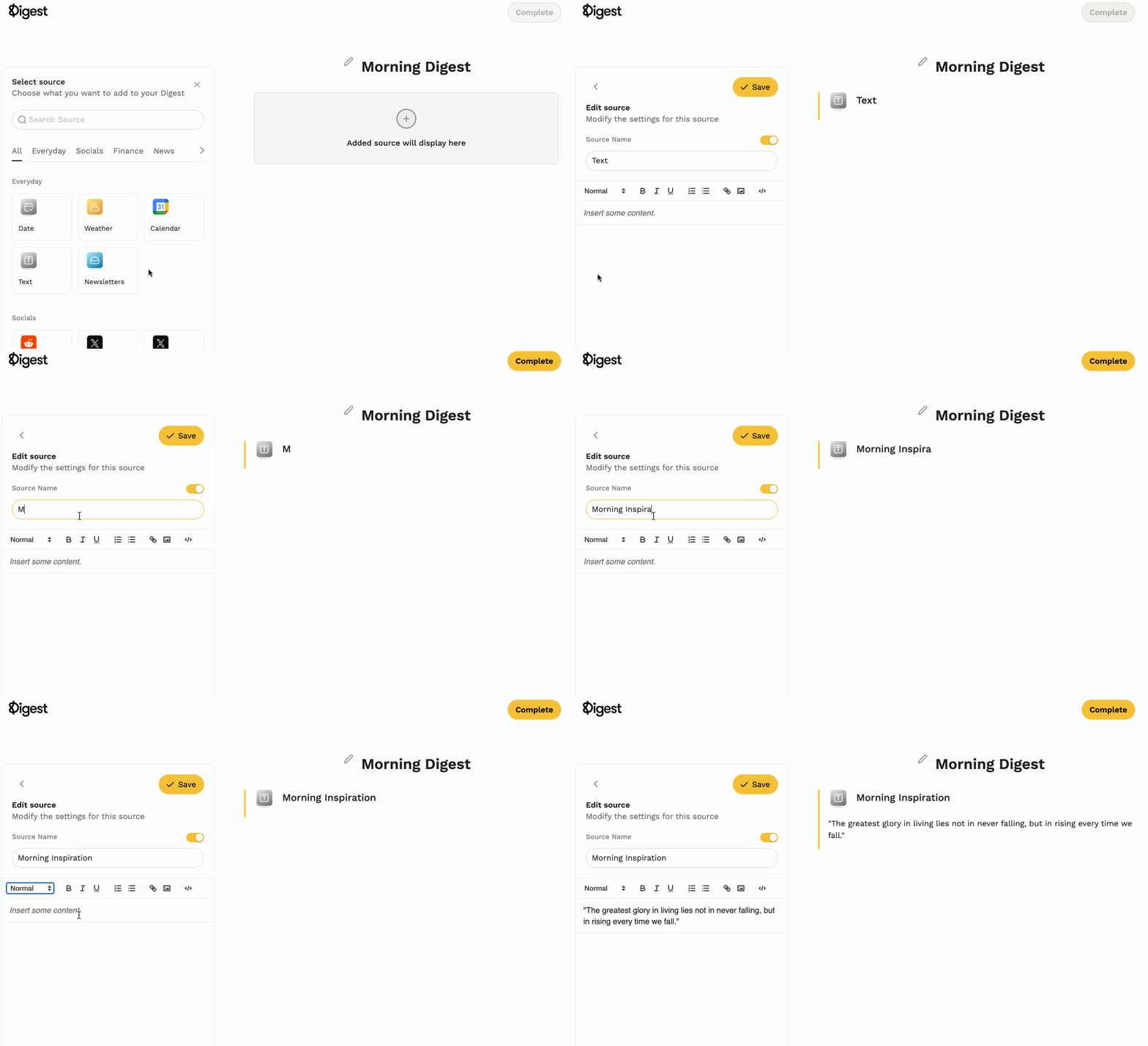
The Text Source lets you add custom text to your Digest using a simple text editor. Add reminders, quotes, to-do lists, or personal notes.
Why Add the Text Source?
- Personalization — Add custom notes, reminders, or anything you'd like alongside your daily updates.
- Flexibility — Create spaces for affirmations, goal lists, or personal messages.
How to Add It
- Log into your Digest account
- Create a new Digest or edit an existing one
- Select Text from sources
- Enter your content in the text editor
- Click Save