Product Updates
New features, improvements, and fixes. See what we've been building to make Digest better for you.
Smart News Source
A new source is here — Smart News, powered by Kagi News, is now available in Digest!
New
- AI-curated news — Get a daily briefing synthesized from thousands of RSS feeds across the globe, powered by Kagi's open-source news engine
- Multi-perspective summaries — Related articles are clustered together and summarized across multiple sources, so you get the full picture instead of a single outlet's take
- No ads, no tracking — Kagi News is built on a privacy-first, ad-free philosophy that aligns perfectly with Digest
- Broad topic coverage — World news, business, technology, science, sports, culture, and more
Why we added it
Most news aggregators optimize for engagement. Kagi News optimizes for understanding — facts and perspectives, not opinions and clickbait. It pulls from community-curated feeds in multiple languages and uses AI to surface what actually matters. That's exactly the kind of source Digest was built for.
How to use
- Go to your Digest dashboard
- Add a new source and select Smart News
- Get a curated news briefing delivered alongside your other sources
Stay informed in 5 minutes a day without the noise.
Digest v2.0 is Live
What's New
We're excited to announce that Digest v2.0 is officially live. This release marks a major milestone for us, bringing a fresh new look and a more powerful experience.
Refreshed Website
Our marketing site has been completely redesigned with a cleaner, more modern aesthetic. The new design better reflects what Digest is all about: simplicity, clarity, and helping you reclaim your time.
Improved Builder
The Digest builder is getting a significant upgrade with more features to help you create the perfect personalized briefing. Stay tuned as we roll out these improvements over the coming days.
- More intuitive interface for adding and managing sources
- Enhanced preview experience
- Better organization tools for your content
- New sources coming soon — we're continuously adding more integrations so you can pull from even more of your favorite platforms
Thank you for being part of the Digest community. We can't wait to show you what else we have planned.
Podcast Source
New
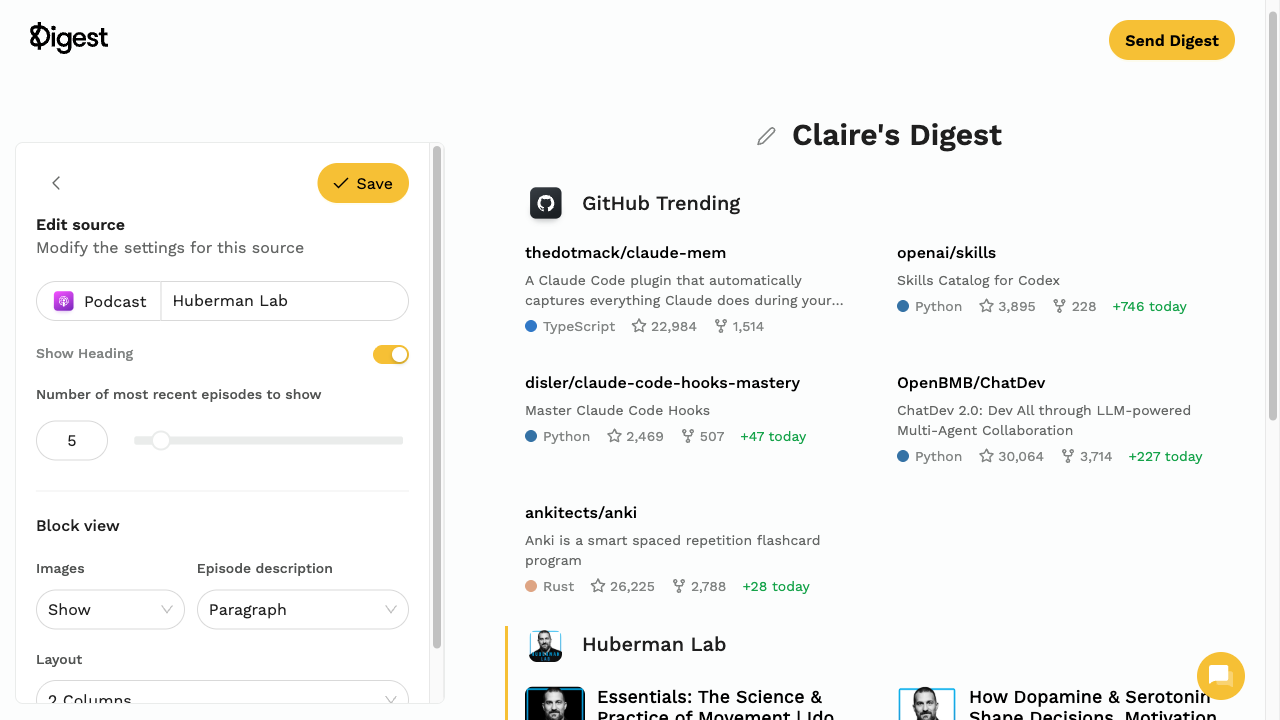
- Podcast source — Search for any podcast by name and add it to your Digest. Get the latest episodes with artwork, duration, and publish dates—all linking directly to Apple Podcasts.
GitHub Trending Source
New
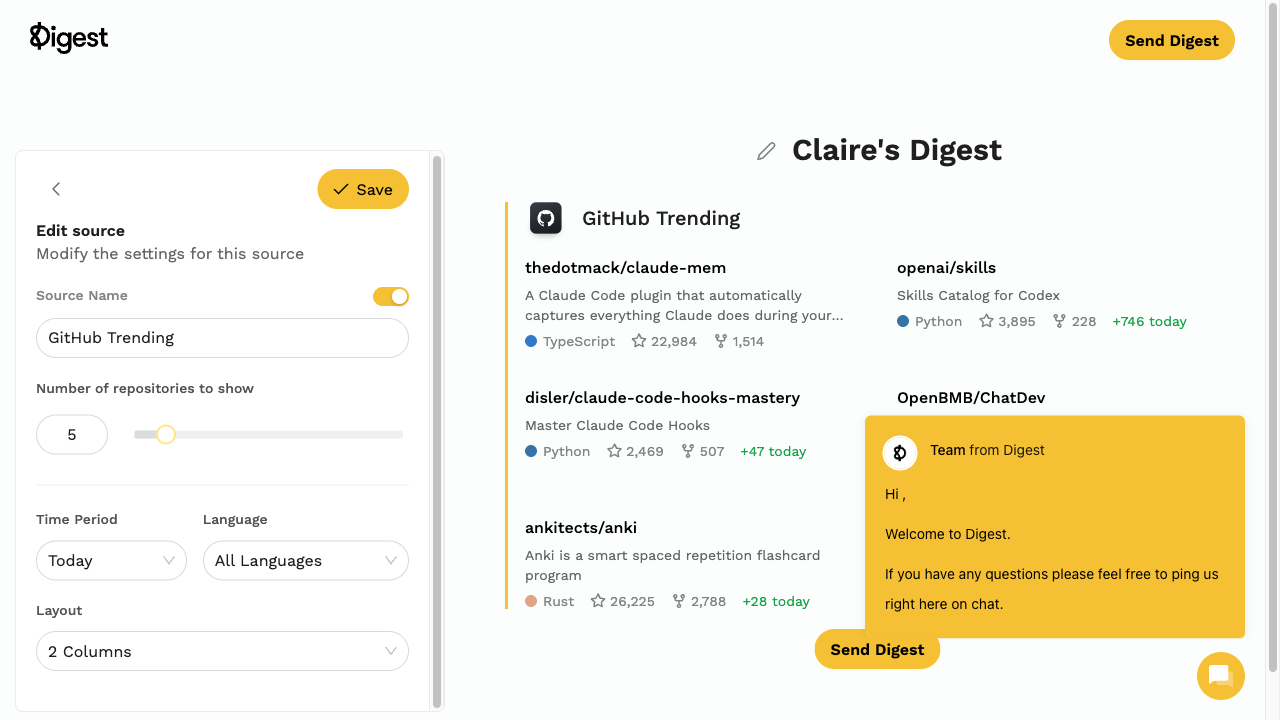
- GitHub Trending source — See what's trending on GitHub directly in your Digest. Filter by programming language, choose daily/weekly/monthly trends, and display up to 20 repositories with stars, forks, and descriptions.
Bluesky Source
You can now follow Bluesky accounts directly in your Digest!
New
- Bluesky integration — Add any Bluesky profile to your Digest by pasting their profile URL
- RSS feed support — Use Bluesky's native RSS feeds or services like openrss.org for more control
- Full post content — Get complete posts including images and links
How it works
- Go to your Digest dashboard
- Add a new RSS source
- Paste a Bluesky profile URL (e.g.,
https://bsky.app/profile/username.bsky.social) - Digest automatically fetches their latest posts
You can also add .rss to any Bluesky account URL to get the RSS feed directly.
Mastodon Source
Mastodon support is here! Follow accounts from any Mastodon instance directly in your Digest.
New
- Any instance support — Follow accounts from mastodon.social, fosstodon.org, or any other instance
- Easy setup — Just paste the profile URL and Digest handles the rest
- Full content — Posts, boosts, and media all included
How to add Mastodon accounts
- Find the Mastodon account you want to follow
- Copy their profile URL (e.g.,
https://mastodon.social/@username) - Add it as an RSS source in your Digest
- Their posts will appear in your next Digest delivery
Pro tip: Add .rss to any Mastodon profile URL to get the direct feed.
Stocks Source
Track your favorite stocks directly in your Digest!
New
- Real-time prices — Get current stock prices updated at delivery time
- Daily changes — See 24-hour price movements and percentage changes
- Multiple tickers — Track as many stocks as you want
Getting started
- Add the Stocks source to your Digest
- Search for stocks by ticker symbol (AAPL, TSLA, NVDA, etc.)
- Add the ones you want to track
- Get price updates with every Digest delivery
Perfect for staying on top of your investments without checking apps all day.
Crypto Source
Cryptocurrency tracking has arrived!
New
- Thousands of coins — Track Bitcoin, Ethereum, Solana, and virtually any cryptocurrency
- Live prices — Current prices fetched at delivery time
- 24h changes — See daily price movements and percentages
- Portfolio view — Track all your holdings in one place
How to add crypto tracking
- Add the Crypto source to your Digest
- Search for cryptocurrencies by name or symbol
- Add the coins you want to follow
- Get price updates with every Digest
Perfect for staying informed on your crypto investments without constantly checking apps.
Google News Source
Google News integration is now available!
New
- Topic-based news — Get headlines for Technology, Business, Sports, Entertainment, and more
- Custom searches — Enter any keyword to get relevant news stories
- Curated headlines — Top stories selected by Google's algorithms
How to use
- Add the Google News source to your Digest
- Choose a predefined topic or enter a custom search query
- Get curated headlines delivered to your inbox
Stay informed on what matters to you without visiting multiple news sites.
Custom Share Links
Introducing custom share links for your Digests!
New
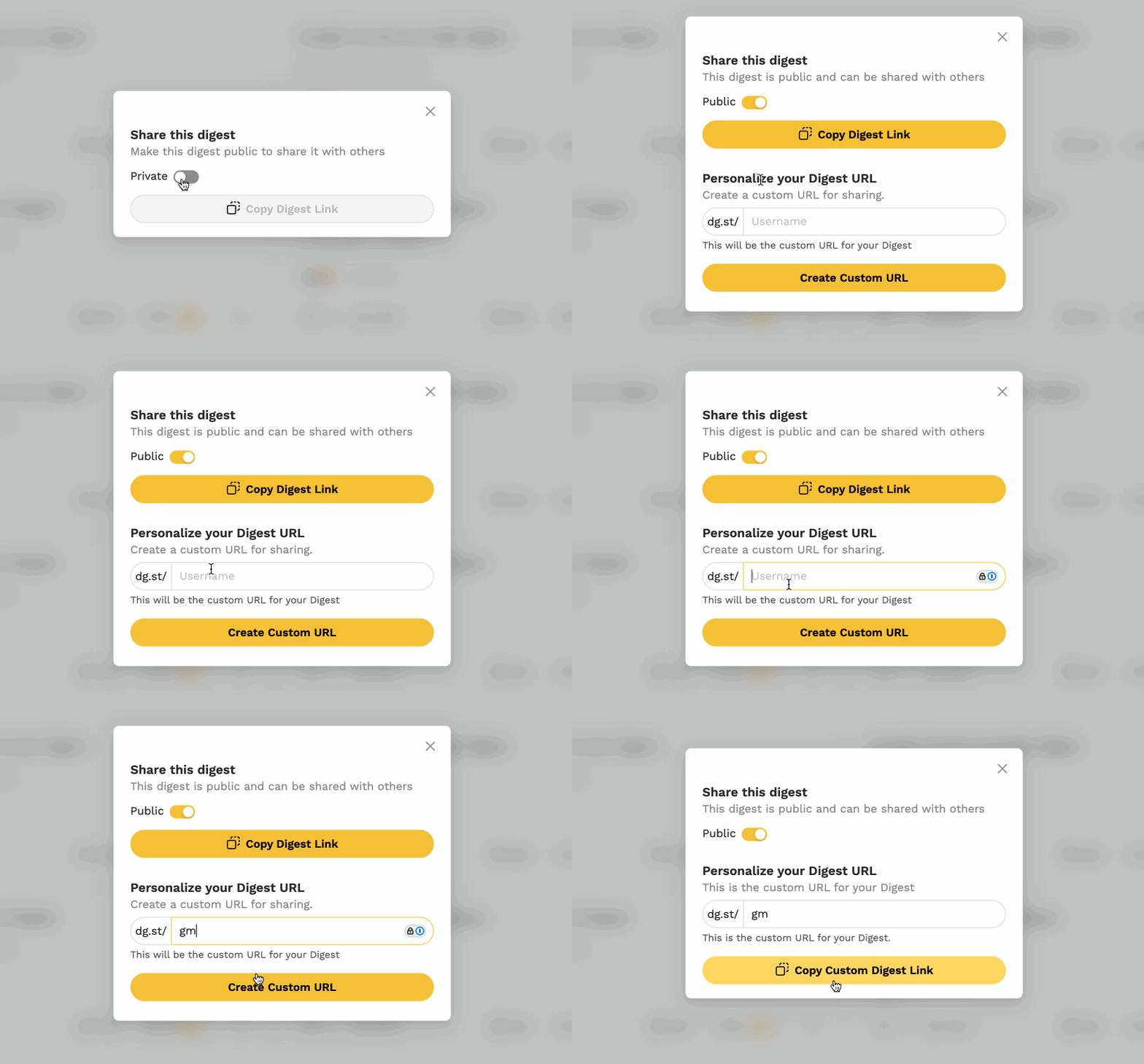
- Personalized URLs — Get a short link like
dg.st/yourname - Easy sharing — Share your curated Digest anywhere with a memorable link
- Professional look — Perfect for sharing on social media or with your audience
How to get yours
- Go to your Digest settings
- Find the Share section
- Claim your custom
dg.stlink - Share it anywhere!
Your followers can now easily access your curated content at a link that's uniquely yours.
May, June & July Updates
We've been busy this summer! Here's a roundup of improvements and fixes.
New
- "See online" link — Now takes you to the exact version of the Digest you were reading, not the newest version
- Pricing plans — Launched tiered subscription options with a 30-day free trial. Expanded limits for X, Instagram, Reddit, and TikTok sources.
Fixed
- Digest generation — Resolved failures preventing Digests from generating
- Delivery issues — Fixed problems with Digests not being delivered
- Mobile scheduling — Fixed interface malfunction when setting schedule on mobile
- Image resizing — Fixed sizing issues in both text and RSS sources
- Text source zoom — Resolved unexpected zoom behavior on mobile
- Subscriber count — Fixed display issues on mobile
- Mobile editor — Fixed layout cutoff issues
- RSS feeds — Resolved duplicate entries, parsing errors, and icon loading failures
- Dashboard scrolling — Removed restrictions preventing scrolling
- X post layout — Fixed email layout breakage for X posts
- Weekly/monthly sources — Fixed Product Hunt and Hacker News not showing top posts for longer timeframes
Text Source
You can now add custom content to your Digests!
New
- Text source — Add your own text, links, and images to any Digest
- Flexible content — Perfect for subscriber-based Digests where you want to add custom content for your audience
Great for adding intros, sponsor messages, personal notes, or any custom content you want in your Digest.
Smart Delivery
We've made Digest smarter about when it sends!
Improved
- Content detection — Digest checks if there's actually new content before sending
- Skip empty sends — If nothing's new since your last delivery, we skip that send
- Automatic retry — We'll try again at your next scheduled time
Why this matters
Previously, Digest would send at your scheduled time regardless of whether there was new content. This could mean receiving emails with nothing new to read.
Now, every Digest you receive has something worth reading.
Benefits
- Less inbox clutter — Only receive emails when there's something new
- Better engagement — Every Digest has fresh content
- Smarter scheduling — Your time is valuable
This is enabled by default for all Digests. No action needed on your part!
Google Calendar Event Types
Improved
- All event types — Google Calendar source now includes Holidays, Birthdays, and other event types from your Calendar
- Selective display — Enable or disable specific event types from the left side menu
Hacker News Source Updated
Improved
- 5x more posts — Retrieve up to 50 posts at once, up from the previous limit of 10
TikTok Source
New
- TikTok source — Follow up to 5 TikTok accounts and get their latest posts delivered daily in your Digest
Instagram Source
New
- Instagram source — Follow up to 5 Instagram accounts and get their latest posts delivered daily in your Digest
X (Twitter) Source
New
- X Posts — Follow up to 5 accounts and choose between latest or most popular posts delivered daily
- X Search — Add a search term or query to see all matching posts (one search term per Digest)
New Year, New Updates
Happy New Year! After nearly 6 months of beta testing, we've rebuilt much of how Digest works based on your feedback. With this stable foundation, we're ready to ship new features consistently throughout the year.
New
- Privacy controls — Make your Digest private or public
- Email subscriptions — Public Digests can now accept email subscribers with opt-in verification
- Subscriber management — New dashboard section to add and manage your Digest subscribers
- Flexible scheduling — New time selector with the option to send Digests immediately after building
- Auto-save — Session state is always preserved—never lose sources you've added
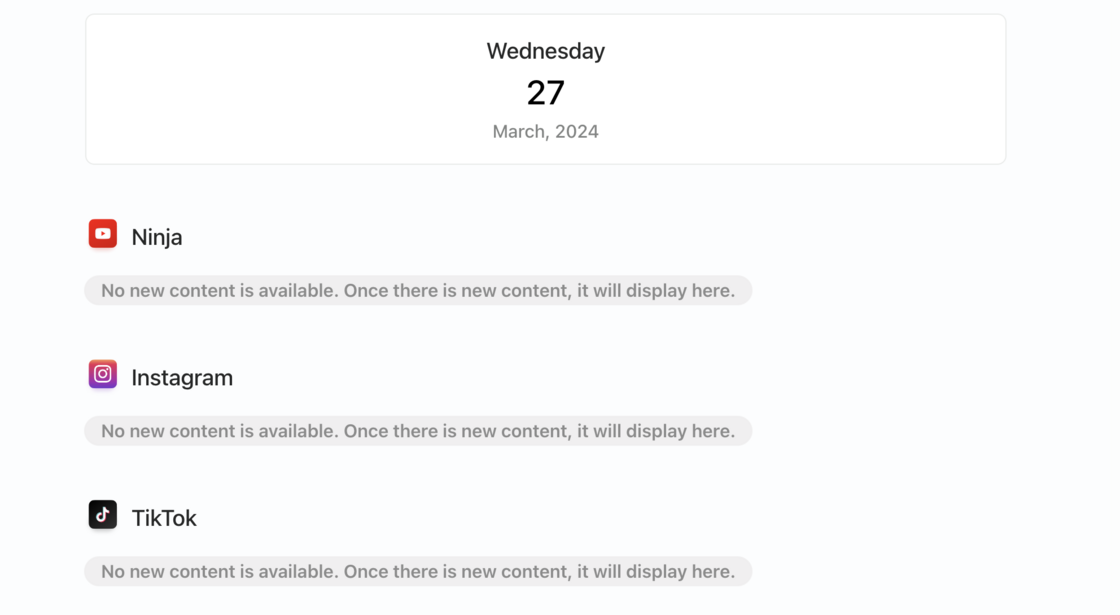
- Empty source indicators — Sources now show when there's no new content to display
- Connected Sources — New account settings section to view and manage all connected accounts
Fixed
- Reddit feeds — Resolved inconsistent display issues
- Login reliability — Fixed various authentication problems
- Security — Addressed multiple security-related bugs
- Digest builder — Now faster and easier to use
- Google Calendar & Stripe — Fixed authentication and account management issues
- YouTube display — Resolved content not always appearing
- Mobile home screen — Fixed saving Digest to device home screen
- Timezone detection — Improved accuracy
- Delete confirmation — Now prompts for confirmation before deleting a Digest
September Updates
A focused month of bug fixes and stability improvements.
Fixed
- RSS feed settings — Settings now save correctly
- Text length — Fixed overly long paragraph text on Reddit and RSS sources
- Share links — Resolved issue where shared links displayed the wrong Digest
- Mobile settings — Fixed inability to access user settings on mobile
- Hacker News links — Articles now link correctly
- Reddit HTML content — Fixed improper display when posts contained HTML
- Date picker — Resolved issue with Digests sending on wrong days
August Updates
New
- YouTube channel presets — Quickly add from a variety of preselected popular channels
- Extended sessions — Stay logged in longer without needing to re-authenticate
- Reader page controls — Share, edit, pause your Digest, and see when it's scheduled to send—all from the reader page
Fixed
- Stripe multi-account — Fixed token issues preventing multiple accounts from connecting
- Google Calendar editing — Resolved bug that prevented Digest editing when Calendar was added
- Share page scrolling — Fixed scroll bar issues on Digest share pages
- RSS icons — Resolved display issues with RSS feed icons
- Source loading — Fixed issues when loading many sources at once
- Timezone handling — Resolved timezone-related bugs
Stripe Source
New
- Stripe source — Connect your Stripe account and get daily, weekly, or monthly updates on revenue, payments, and customer metrics
July Updates
New
- Stripe source — Track your business metrics directly in your Digest
- RSS icons — Icons now display alongside your RSS feed sources
- Email subject dates — Digest email subjects now include the date
Fixed
- Today's Date source — Resolved display bug
- Shared Digests — Removed edit button from public shared views
- Gmail clipping — Improved email templates to prevent Gmail from cutting off content
- Email formatting — Fixed various layout issues in Digest emails
- "See online" link — Moved to the header of Digest emails for better visibility
YouTube and Product Hunt Sources
New
- YouTube source — Get notified when your favorite channels post new videos
- Product Hunt source — Stay updated on new products and startups submitted to Product Hunt
June Updates
New
- Homepage signup — You can now sign up while testing out building a Digest on our homepage
- Dark mode — Digest emails and web view now support dark mode
- Unsubscribe handling — Added unsubscribe functionality that pauses Digests and removes unsubscribers from your list
Fixed
- Email templates — Fixed various rendering bugs (more fixes on the way)
- Subscriber management — Resolved issues with adding subscribers to a Digest
- Weekly/monthly scheduling — Fixed configuration issues for recurring schedules
- Google authentication — Resolved sign-in and Calendar access issues
May Updates
New
- Drafts — Your Digests are now always saved, even if you don't finish building them. Never lose your work again.
Fixed
- Twitter source — Deprecated due to API pricing changes. We'll consider adding it back if pricing becomes more accessible.
- Paused Digests — Fixed bug where paused Digests were still sending
- Source search — Resolved issues with searching for sources
- Google Calendar — Fixed bug preventing Digest editing when Google Calendar source was added
- Navigation — Resolved various navigation issues
- Facebook login — Fixed authentication problems
Reclaim your time.
Cut through the noise. Your internet, summarized daily. Try it free.
No credit card required • Cancel anytime